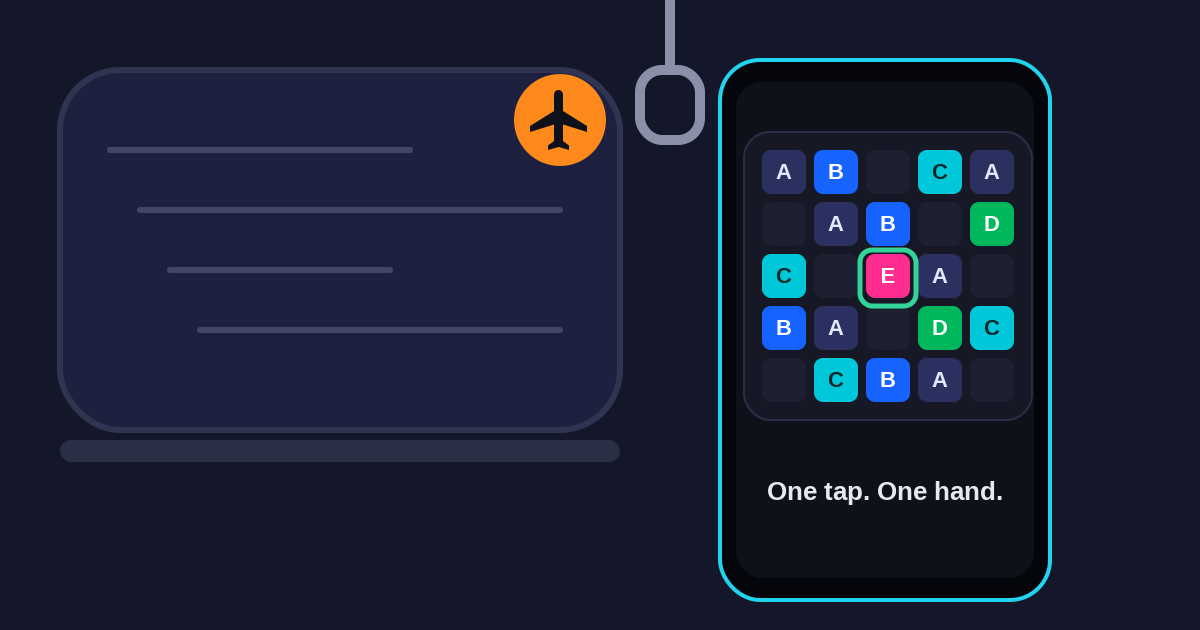
Quick answer: PULL is a free puzzle game that runs in your web browser and keeps working with no signal. Open it once with a connection and it's saved on your phone, so tunnels, flights and airplane mode never interrupt your board. It saves your game after every tap, plays with one thumb, and the Daily puzzle takes just 12 taps, perfect for a train ride or a queue.
A commute, a flight or a long queue is the perfect time for a puzzle, as long as the game keeps up. Too many games freeze the moment the train enters a tunnel, demand a huge download before your trip, or lose your progress when you have to step off in a hurry. Here's what makes a puzzle game good for travel, and how PULL handles each one.
Does PULL work offline on trains and planes?
Yes, after your first visit. The first time you open pullgame.app with a connection, PULL saves itself on your phone. After that, the game itself runs on your device: the board, the rules and your progress don't need the internet. Tunnels, patchy signal and airplane mode won't interrupt your game, and both Daily PULL and Endless keep working.
For the most reliable offline play, add PULL to your home screen before you travel. It then opens like an app, even with no signal. Our guide to playing games without downloading an app shows how on iPhone and Android.
PULL uses very little data, too: there's nothing to stream, and the game is a small download.
What happens if you have to stop mid-game?
Nothing is lost. In Endless, PULL saves your exact board after every single tap. When the train reaches your stop or you get to the front of the coffee queue, just close the tab or lock your phone.
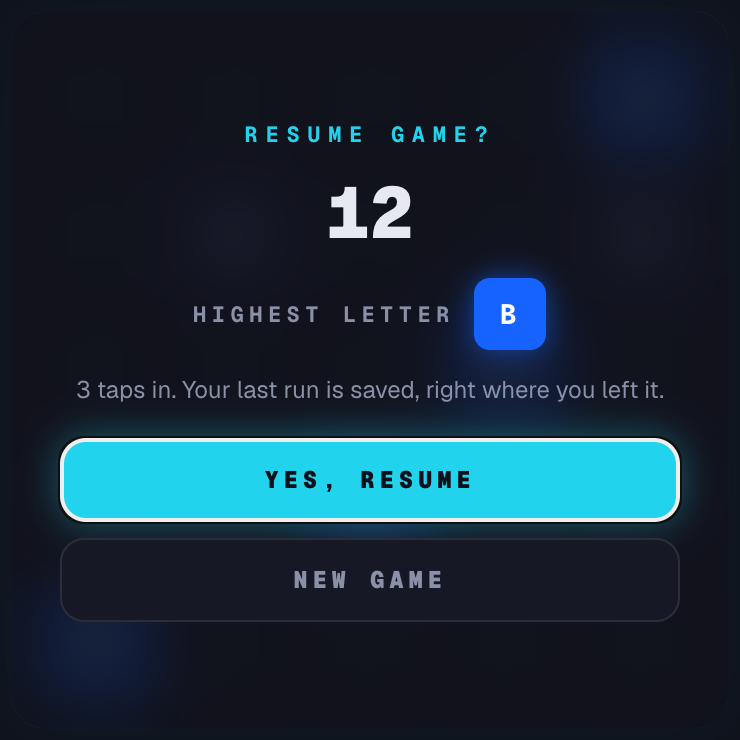
When you come back, PULL asks "Resume game?" and puts you right back where you left off. If you've been away for more than about half a minute, the game pauses itself, so you never come back to a board you've forgotten. Daily PULL saves your moves too, so an unfinished puzzle survives a closed tab.
Can you play PULL with one hand?
Yes. PULL is played entirely by tapping: tap a letter, and every matching letter in its row and column slides toward it. There's no swiping across the board or dragging pieces around, so you can play comfortably with one thumb while the other hand holds a rail, a strap, a bag or a coffee.
Tips for one-handed play:
- Hold the phone low in your palm, so your thumb reaches the whole 5×5 board.
- Turn the sound off in Settings for a quiet carriage or a sleeping neighbour on a flight.
- Use Night mode (Settings → Theme) in a dark cabin; it's easier on the eyes.
How long does a game take?
As long as you like, or as little as a minute or two.
- Daily PULL is a strict 12-tap puzzle: make the letter E in 12 taps or fewer. It's a satisfying win you can finish between two stops, and then you can put the phone away.
- Endless has no tap limit, for long journeys. Play until the board fills up, chasing your best score, and stop whenever you need to.
How do you get PULL ready before a trip?
- Open pullgame.app while you still have Wi-Fi or signal.
- Add it to your home screen (Settings → Install app in the game, or your browser's menu).
- Play a quick game to make sure it's all loaded.
- Switch to airplane mode whenever you like. PULL keeps working.
What else makes a good game for commutes and travel?
| Look for | Why |
|---|---|
| Works offline | Tunnels and flights don't interrupt you |
| Saves after every move | Stop the moment you need to |
| Tap controls | Easy one-handed, even on a bumpy ride |
| Short rounds | Fits between stops or in a queue |
| No timer | No pressure when you're interrupted |
| Sound you can switch off | Quiet in shared spaces |
| Small, free, no account | No big download before you leave |
If you find yourself scrolling on your commute out of habit, a short puzzle can be a better use of those minutes. See our article on anti-doomscroll games.
Key takeaways
- After one visit with a connection, PULL plays fully offline, even in airplane mode.
- Endless saves after every tap; reopen and choose "Resume game?" to carry on.
- Tap-only controls make it easy to play one-handed.
- Daily PULL takes 12 taps, a perfect fit for a short journey or a queue.
- Add it to your home screen before you travel for the smoothest offline play.
Frequently asked questions
Can I play PULL offline on a plane or train?
Yes. Open pullgame.app once with a connection and PULL saves itself on your phone. After that, both Daily PULL and Endless work without any signal, including in airplane mode. Adding PULL to your home screen makes offline play even more reliable.
Do I need Wi-Fi to play PULL?
Only for your first visit. After that the game runs on your device and doesn't need Wi-Fi or mobile data to play.
Will I lose my game if I close the tab?
No. Endless saves your board after every tap, and Daily PULL saves your moves. When you reopen PULL, it offers to resume exactly where you left off.
Can I play PULL with one hand?
Yes. PULL is played by tapping single tiles, with no swiping or dragging, so it's comfortable to play one-handed while you hold a rail or a cup.
What are good free games to play on a commute?
Short puzzle games that work offline, save after every move and use simple tap controls. PULL fits all of these, and its Daily puzzle takes just 12 taps.